![Egg Logo - Coloured Background.png]](https://139813296.hs-sites-eu1.com/hs-fs/hubfs/Egg%20Logo%20-%20Coloured%20Background.png?height=50&name=Egg%20Logo%20-%20Coloured%20Background.png)
If you do have an off-peak tariff, then the charger will not look to charge the vehicle until the off-peak rates apply, to charge the car as cheaply as possible.
If you just have a single-rate tariff, the chargers will look to start charging your car so that it will be full by the selected time (i.e. if it takes 6 hours to fully charge the car and you have a ‘ready by’ time set for 7am, it will start charging at approx. 1am).
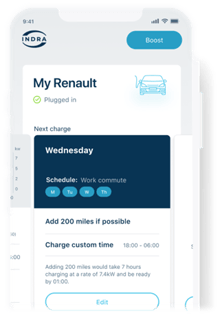
If you would like the car to start charging as soon as you plug it in, this can be achieved by pressing the 'Boost' button on the charger or in the app. It may still take a minute or so while the charger and vehicle communicate and start charging, however this will continue to charge your vehicle until you tell it to stop.
I set a schedule in the app, but my car wasn't fully charged on time. Why is this?
If you have a multi-rate tariff applied, the Indra will only start charging when your off-peak rates take effect. Since the off-peak window is only usually 4-5 hours long, this may not be sufficient to provide a full charge to the vehicle, hence why it won't be fully charged.
To overcome this, you can use the ‘boost’ button to start charging as soon as you plug in, so you'll be able to get a full charge whenever you need it.
If you have a single rate tariff however, then this may be due to the Indra having been given the incorrect vehicle information. Please ensure that this is correct in the app and that the battery size selected (in kWh) is the same as that of your vehicle. If it is and the issue persists, then please contact us for support.
Incorrect vehicle setting in the app
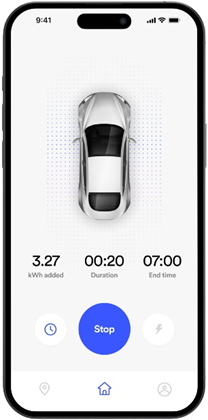
This can happen if you have multiple vehicles using the same charger. Setting an incorrect battery size, or selecting a vehicle with the wrong battery size in the app will make the charger believe the vehicle should be full and to stop charging.
For example if your vehicles actual battery size is 58kWh but you’ve incorrectly set this as a 50kWh model in the app, it will only dispense around 50kwH of energy before stopping.
If you have multiple vehicles and you can only set one in the app, always chose the vehicle with the larger battery capacity.